Routers don’t come with an expiry date, so it’s easy to keep the same box for a decade. But an old router can quietly slow down your whole home and leave it open to security risks. So how long do routers last? For most homes, a router lasts about 3 to 5 years before it’s worth replacing – sometimes longer if it still gets updates and keeps up with your plan. This guide explains what affects a router’s lifespan and the signs that yours is going bad.
How long do routers last?
| Device | Typical useful life | Why it ends |
|---|---|---|
| WiFi router | 3–5 years | New WiFi standards, faster plans, end of security updates |
| Mesh WiFi system | 4–6 years | Same as routers, but often updated longer |
| Cable modem | 4–6 years | Provider requires newer DOCSIS versions |
| Provider gateway (rented) | Replaced by the provider when needed | Ask for a newer model if yours is old |
The hardware itself can keep working much longer. The real question is whether it still delivers the speed you pay for and still receives security fixes.
What shortens a router’s life
- Heat: routers in closed cabinets or next to other electronics run hot, which wears out components.
- Power problems: surges and frequent outages can damage the power supply.
- Constant heavy load: dozens of devices and 24/7 traffic push older hardware hard.
- No updates: once the manufacturer stops releasing firmware, new security holes stay open.
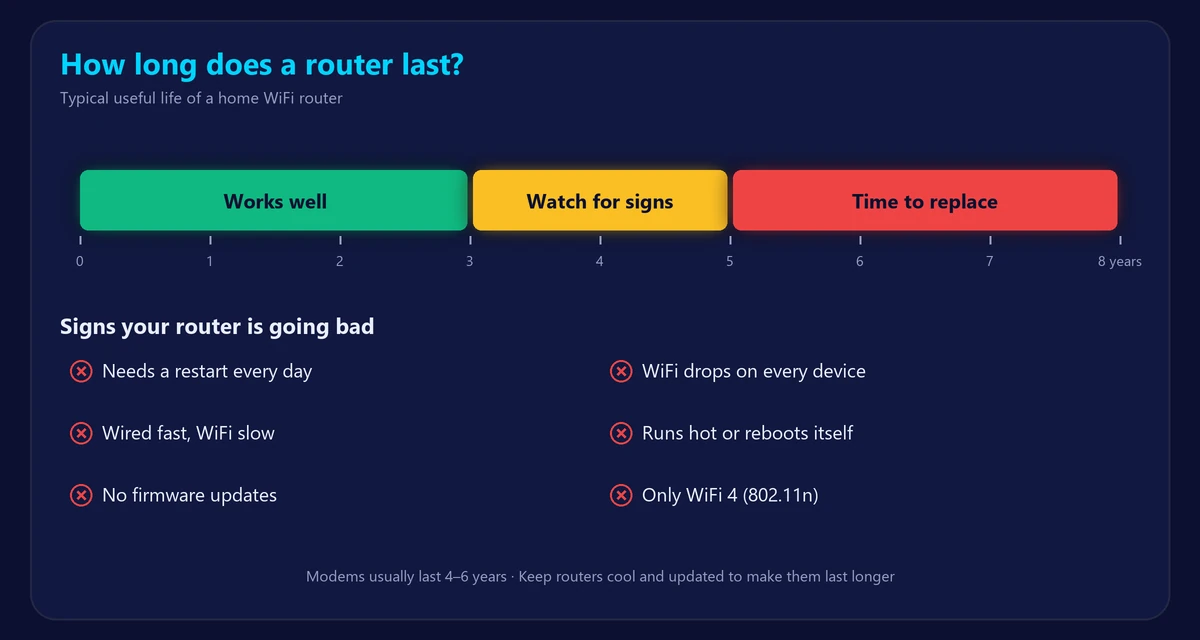
8 signs your router is going bad
- You need to restart it all the time. An occasional restart is normal; needing one every day is not. See how to restart or reset your router.
- WiFi keeps dropping on all devices, even close to the router – read why WiFi keeps disconnecting.
- Wired speed is fine but WiFi is far slower than your plan everywhere in the home.
- It gets very hot or reboots by itself.
- Strange or red lights, or lights that never settle after a restart.
- No firmware updates for a year or more, or the model is listed as “end of life”.
- It only supports old WiFi standards (WiFi 4 / 802.11n, or WiFi 5 with a gigabit plan).
- It can’t handle all your devices – things slow down when several people are online.
How to check if your router is the problem
- Run our speed test with a laptop plugged into the router by cable, then over WiFi next to the router.
- If both are slow, test with the laptop plugged straight into the modem. Still slow? The issue is the modem or your provider, not the router – see modem vs router.
- If wired is fast but WiFi is slow even nearby, the router (or its WiFi) is the bottleneck.
- Run our ping test: high jitter and packet loss over WiFi but not over cable also point to the router.
WiFi standards: how old is your router?
| Standard | Introduced | Still good enough? |
|---|---|---|
| WiFi 4 (802.11n) | 2009 | No – replace it |
| WiFi 5 (802.11ac) | 2014 | OK for plans up to about 300 Mbps |
| WiFi 6 / 6E (802.11ax) | 2019–2021 | Yes, for most homes and plans |
| WiFi 7 (802.11be) | 2024 | Yes – future-proof for multi-gig plans |
The model label on the bottom of the router usually lists the standard (look for “AC”, “AX” or “BE”). Compare them in WiFi 6 vs 6E vs 7.
How to make your router last longer
- Keep it in an open, ventilated spot – off the floor and out of cabinets.
- Plug it into a surge protector.
- Turn on automatic firmware updates.
- Restart it every week or two, or schedule automatic reboots at night.
- Add a mesh node instead of pushing an old router to cover a big home – see mesh WiFi vs extender.
Frequently asked questions
How often should you replace your router?
Every 3–5 years for most homes, or sooner if it stops getting security updates or can’t deliver your plan’s speed over WiFi.
Can a router go bad?
Yes. Components wear out with heat and age, causing dropouts, slowdowns and random reboots.
How long do modems last?
Usually 4–6 years. Cable providers may require a newer DOCSIS modem when they upgrade their networks.
Will a new router make my internet faster?
It can’t go beyond your plan’s speed, but a modern router often delivers far more of that speed over WiFi and to more devices at once.