Everything was fine yesterday, and today pages crawl and videos buffer. If you’re wondering why your internet is so slow all of a sudden, the cause is usually something that just changed: a stuck router, a device hogging the connection, a new source of WiFi interference or a problem at your provider. Follow the checks below in order to find the cause in a few minutes.
Step 1: Measure before you change anything
Run our speed test and write down the download, upload and ping. Then answer three questions:
- Is it slow on every device, or just one?
- Is it slow everywhere at home, or only in some rooms?
- Is it slow all day, or only at certain hours?
Your answers point directly to the cause. New to speed tests? See how to check WiFi speed.
Common causes, and how to tell which one you have
| What you notice | Likely cause | Where to start |
|---|---|---|
| Every device is slow, even near the router | Router glitch, modem problem, provider outage | Fixes 1, 2 and 6 |
| Only one device is slow | That device: updates, VPN, driver, malware | Fix 5 |
| Slow only far from the router | Weak WiFi or new interference | Fix 4 |
| Slow only in the evening | Network congestion | Fix 7 |
| Fine until someone starts a download or backup | Connection is full | Fix 3 |
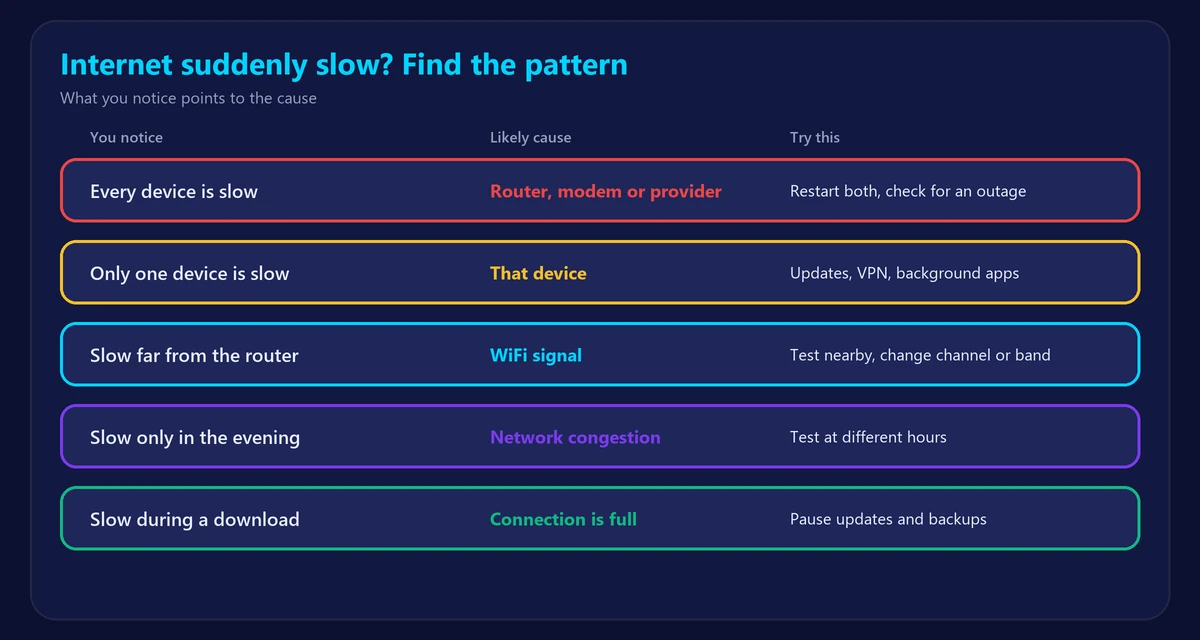
7 fixes for suddenly slow internet
1. Restart the modem and router
Routers can slow down after days of uptime. Unplug both for 30 seconds, plug in the modem first, then the router. Here’s how to restart or reset your router the right way.
2. Check for an outage
Look at your provider’s app or status page using mobile data. Partial outages can leave you with a slow connection rather than none at all. Also look at the router lights – our guide explains what router and modem lights mean.
3. Look for a device using all the bandwidth
Game updates, cloud backups, security cameras and system updates can fill the connection without anyone noticing. Pause them and test again. Upload-heavy tasks are especially harmful: a full upload can slow down downloads too. Also check who is using your WiFi in case someone else has joined.
4. Rule out WiFi problems
Test next to the router, ideally with an Ethernet cable. If that’s fast but other rooms are slow, the problem is WiFi, not your internet:
- Did something move recently? A router moved behind a TV, or a new appliance nearby, can hurt the signal.
- A neighbor’s new network can crowd your channel. Try a different channel in your router settings.
- Check your WiFi signal strength and try the 5 GHz band near the router.
5. Fix a single slow device
- Restart it and install pending updates.
- Turn off any VPN or proxy and test again.
- Close apps that sync in the background.
- Forget the WiFi network and reconnect.
- Run a malware scan if the slowdown came with other odd behavior.
6. Check cables and equipment
A loose coax connector or damaged Ethernet cable can suddenly cut speeds. A cable that only links at 100 Mbps will cap you there, whatever your plan. If your router is several years old and restarts no longer help, read how long routers last.
7. Test at a different time
If speeds are normal in the morning and poor at night, your neighborhood’s shared network is probably busy. Read why internet is slow at night.
When to call your provider
Contact your provider if a wired test stays well below your plan after you’ve restarted everything, or if our ping test shows packet loss on a cable. Give them your test results and the times you ran them. It makes the conversation much shorter.
Frequently asked questions
Why did my internet suddenly get slow when nothing changed?
Something usually did change, but out of sight: a background update, a router that needs a restart, a neighbor’s network or a problem on your provider’s side.
Can a router suddenly slow down internet?
Yes. Overheating, memory problems and failing hardware can all do it. A restart is the quickest test.
Why is my internet slow but the speed test is fast?
A good speed test with slow websites often points to high ping, packet loss or a DNS problem. See the best DNS servers and check your ping.
Does restarting the router really help?
Often, yes. It clears temporary faults and forces a fresh connection to your provider. It takes only a few minutes, so try it first.